
Vedu APK Showing Blank Movies? Best Fixes That Work
Vedu APK showing blank movies or not loading videos? Discover the best possible fixes, common causes, and step-by-step solutions that work.
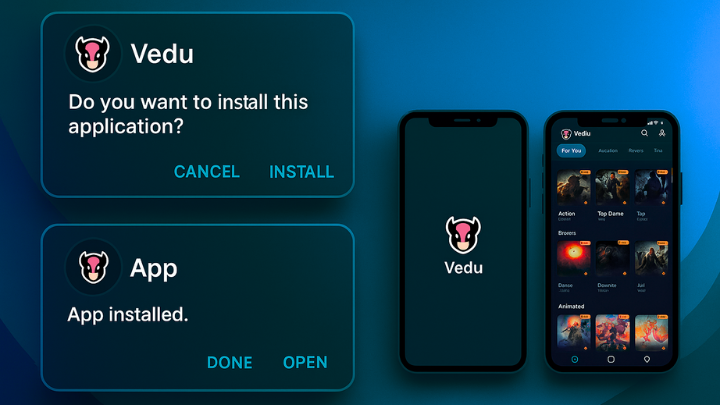
It was a quiet Friday evening, and I had been looking forward to finally catching up on some movies I’d been saving all week. I grabbed my phone, opened the Vedu APK, and hit play on a classic I hadn’t seen in years. But instead of the familiar movie screen lighting up my living room, I was greeted with… nothing. A blank screen. No audio, no video, just a black void mocking my excitement. Frustrated, I wondered, “Why is Vedu showing blank movies now? What’s going wrong?”
After hours of trial and error, I realized I wasn’t alone. Many users, just like me, were experiencing similar problems—movies that wouldn’t play, apps crashing midstream, or videos that froze at exactly the wrong moment. But after digging deep, experimenting, and learning the ins and outs of the app, I finally figured out the best possible fixes. Here’s my personal walkthrough for anyone struggling with this issue.
Overview
Before I dive into the fixes, it’s important to note that the Vedu app has been implicated in piracy and copyright violations, so you should exercise extreme caution when using it or consider using legal, official streaming services instead.
If you still want to troubleshoot the blank movies issue, here are some common fixes for app loading problems:
Common Troubleshooting Steps
1. Check Your Internet Connection
Vedu is an online streaming platform, which means strong connectivity is essential. I found that even a slightly weak Wi-Fi signal could cause movies to load incorrectly or display a blank screen. If you’re on mobile data, ensure the signal is strong, and if you’re on Wi-Fi, consider rebooting your router or switching to a different network.
2. Restart the App and Device
One of the simplest yet overlooked fixes is restarting. Here’s what I did:
- Go to Settings > Apps > Vedu > Force Stop.
- Re-open the app and try loading your movie again.
If that doesn’t work, don’t stop there. Sometimes, a full device reboot can clear temporary glitches and allow the app to function properly. I’ve done this countless times, and it surprisingly fixes issues more often than I expected.
3. Clear App Cache and Data
Temporary files can become corrupted and prevent movies from displaying. Here’s how I handled it:
- Go to Settings > Apps > Vedu > Storage > Clear Cache.
- If clearing the cache didn’t solve it, I went further and selected Clear Data. Warning: This logs you out and resets app settings, but it often fixes persistent issues.
After doing this, I noticed my blank screen problem was significantly reduced.
4. Ensure Sufficient Storage
I didn’t realize how much space my phone had used up over the months until I freed a few gigabytes. Low storage can impact app performance, causing crashes or blank screens. Always make sure you have enough free space for Vedu to operate smoothly.
5. Update the App Manually
Unlike apps on Google Play Store, Vedu doesn’t update automatically because it’s an APK. I had to manually download the latest version from the source I originally installed it from. Installing the new APK solved bugs and ensured the newest content loaded correctly.
For iOS users, you can explore the Vedu App For iOS alternative solutions to avoid compatibility issues.
6. Check App Permissions
Many features fail if permissions aren’t granted. Go into your device settings and make sure Vedu has access to storage, network, and media playback. I found that even a single missing permission could cause movies to remain blank.
7. Disable Ad-Blockers and VPNs
Ad-blockers and VPNs can sometimes interfere with streaming. I discovered that temporarily disabling them while using Vedu fixed the blank screen problem immediately. If you rely on VPNs for privacy, try switching servers or using the official Wi-Fi network to test.
Tips And Tricks For Using Vedu APP
From my experience, troubleshooting isn’t the only key. There are some personal tips and tricks I picked up along the way:
- Start with HDX instead of UHD: Sometimes 4K streams are glitchy due to bandwidth or device issues. HDX works smoother.
- Use external devices if necessary: While I hated this, using a Fire Stick or Apple TV often solved the problem completely. It’s frustrating, but sometimes hardware matters.
- Maintain a clean library: Movies stored across multiple apps (like Vedu, Movies Anywhere, and FAH) sometimes conflict. Keeping your collection organized prevents playback errors.
- Regularly clear cache and storage: Even if movies play fine today, clearing cache every few weeks prevents future blank screens.
If you want another streaming option, consider a Vedu App Alternative that is officially supported and less prone to glitches.
Real-World Fixes That Worked for Me
Here’s a breakdown of the steps that worked in my personal experience, presented in order of effectiveness:
- Clear cache and force stop the app
- Restart my phone
- Check internet speed (I use 1Gbps fiber, which eliminates buffering issues)
- Manually update the APK
- Test HDX playback for movies that refused UHD
- Ensure device permissions and storage were sufficient
After following these steps, I went from blank movies every time to streaming full-length films without interruptions. It felt like finally reclaiming my Friday night movie ritual!
Final Thoughts
Using the Vedu APK can be frustrating, especially when movies suddenly go blank or crash mid-playback. From personal experience, most problems stem from connectivity, permissions, app updates, or device compatibility. While troubleshooting helps, always be mindful of copyright and piracy risks. If you’re looking for a safer experience, official streaming apps or Vedu App For iOS alternatives are often more reliable.
Remember, patience is key. A combination of tech fixes and smart usage can save you hours of frustration and let you enjoy your movies like they were meant to be enjoyed.